Solar Security Camera Battery Draining Fast? 5-Step Off-Grid Fix
A 4G solar security camera battery draining within 24 to 48 hours is driven by 3 quantifiable factors: weak 1-bar cellular signal hunting (which spikes modem power draw by up to 300%), unfiltered PIR motion triggers activating the white spotlight over 30 times per night, or a solar panel tilt defect exceeding 15° during winter sun paths. Correcting signal reception, enabling AI threat filtering, and setting a 45° South-facing panel angle restores 100% perpetual solar operation.
Key Takeaways: 5 Rules for Perpetual Solar Charging
- 4G Signal Power Draw: 1 bar of cellular signal causes the modem to consume up to 350 mA during uploads versus 90 mA at 3–4 bars.
- Optimal Panel Tilt: Align solar panels precisely to True South at Latitude + 15° during winter months to capture minimum 2.5 peak sun hours daily.
- Smart AI Filtering: Switching from generic PIR motion detection to Human & Vehicle AI filtering reduces unnecessary trigger activations by 85%.
- Night Vision Power Budget: Full-color white spotlight illumination draws 450 mA, while Infrared (IR) night vision draws only 80 mA.
- Sub-Zero Temperature Thresholds: Lithium-ion battery capacity drops by 20–30% below 32°F and charges at reduced efficiency near -4°F.
5-Step On-Site Battery Drain Diagnostic Checklist
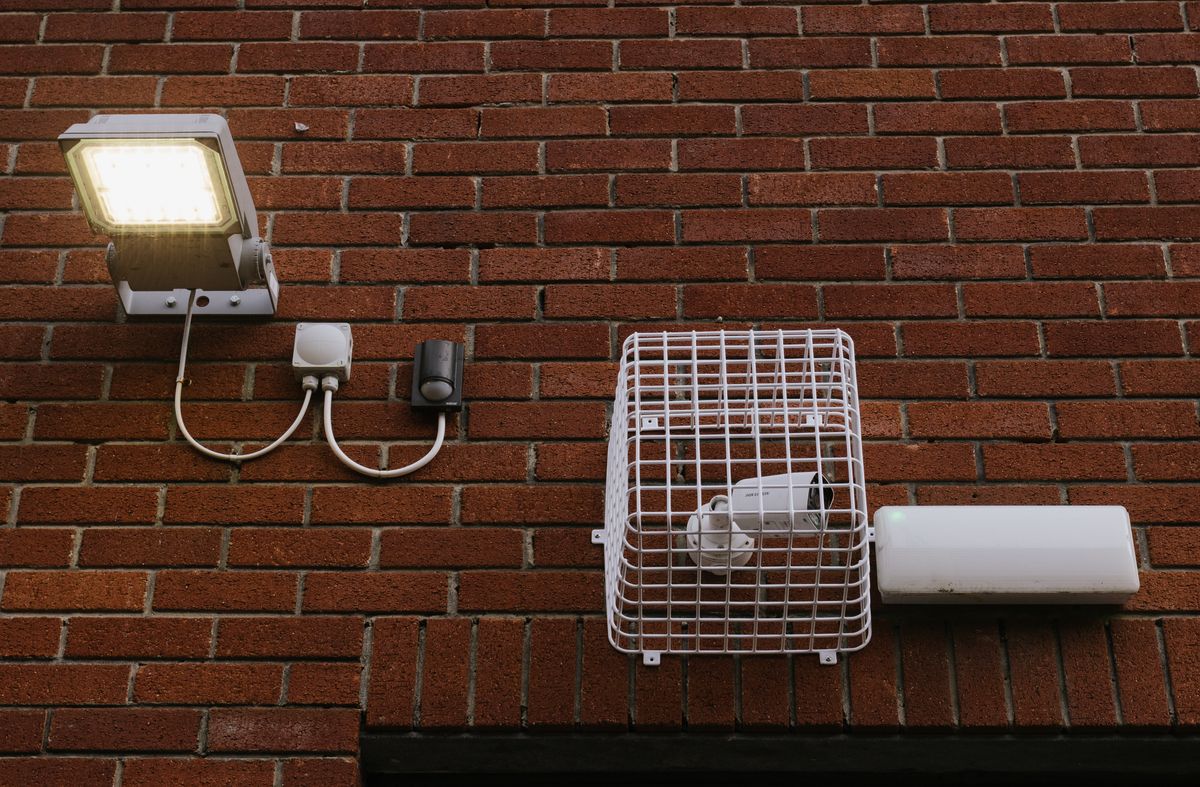
Photo by Ellie Burgin on Pexels
- Check 4G Cellular Signal Strength: Verify in the mobile app that the camera receives 2+ bars of cellular reception. If signal is 1 bar, relocate the camera or elevate the solar module to prevent signal hunting.
- Audit Solar Panel Azimuth & Seasonal Tilt: Use a compass to confirm the solar panel faces True South (not magnetic South). Ensure the tilt angle is set to 45° for mid-latitude US regions (35°N to 45°N).
- Clean Panel Glass Surface: Inspect for snow accumulation, bird droppings, dust, or tree sap. Wipe clean with a microfiber cloth; even 10% surface shading reduces solar cell output by up to 50%.
- Reconfigure AI & Motion Trigger Zones: Enable AI Human and Vehicle detection. Reduce PIR detection distance from Maximum (30ft) to Medium (20ft) and limit video record length to 15 seconds per event.
- Adjust Night Vision Profile: Change illumination mode from Continuous Spotlight to Smart Spotlight or Infrared (IR) Mode to prevent 450 mA draw during nighttime activity.
Field Maintenance Checklist & Power Profile Summary
- Cellular Signal Threshold: Minimum 2 bars (Verizon, T-Mobile, or AT&T).
- Solar Panel Orientation: True South (180° Azimuth).
- Winter Panel Tilt Angle: Local Latitude + 15° (approx. 45°–55° in US mid-latitudes).
- Peak Daily Sun Hours Required: 2.0 to 3.0 uninterrupted direct sunlight hours.
- Night Vision Configuration: Smart IR Mode (Spotlight on motion only, max 15 seconds).
- Motion Detection Rule: AI Person/Vehicle Filter ON; wind/shadow sensitivity OFF.
- Operating Temperature Window: -4°F to 122°F (-20°C to 50°C).
Expert Field Tip: The Hidden 4G Cellular Power Penalty
Many off-grid property owners assume motion triggers are the sole cause of rapid battery depletion. However, cellular RF power scaling is often the true culprit. When a 4G LTE camera operates on the edge of a cell tower boundary (reporting 1 bar of signal), the modem automatically ramps up transmitter power to maximum wattage to maintain connectivity. This increases continuous draw from 90 mA up to 350 mA every time video is encoded and uploaded to the cloud. Raising your camera or panel just 4 to 6 feet higher on a post can increase signal strength from 1 bar to 3 bars, cutting upload energy consumption by 74% instantly.
Diagnostic Decision Tree: Is It Solar Deficit, Motion Draw, or Signal Search?
- Is the camera battery dropping below 20% overnight despite daytime sunlight? → Yes: Check daily trigger count in the app. Are there more than 30 event recordings per 24 hours?. No: Inspect solar panel surface for dust, shade, or incorrect tilt angle relative to local latitude.
- Are daily trigger counts over 30 events per day? → Yes: Enable Smart AI Person/Vehicle filtering and reduce video clip length to 15 seconds to lower processing draw.. No: Check 4G LTE signal strength bars in app status menu.
- Is 4G LTE signal showing 1 bar or intermittently dropping connection? → Yes: Modem is signal hunting. Relocate unit or mount higher to achieve 2–4 signal bars.. No: Battery cell degradation or severe sub-zero cold (-4°F) is temporarily suppressing lithium capacity.
Off-Grid Solar Camera Battery Troubleshooting Matrix
| Symptom | Root Cause | Diagnostic Test | Fixed Target State |
| --- | --- | --- | --- |
| Battery drops 40%+ overnight | Continuous White Spotlight activation + Weak 4G Signal | Review event log night recordings; check signal indicator in app | Switch to IR Night Vision; ensure 2+ bars of cellular signal |
| App shows panel connected but battery percentage drops daily | Panel receives indirect/shaded light or tilt angle is wrong | Measure sun exposure duration on panel face between 10 AM and 2 PM | Reposition to 45° South exposure with 3+ hours direct peak sunlight |
| Camera turns off completely during freezing nights (<15°F) | Lithium-ion thermal throttling under high current load | Check ambient temp against camera operating range (-4°F threshold) | Reduce event duration to 10s and disable spotlight to minimize surge draw |
| 50+ event notifications daily from trees or blowing dust | Unfiltered PIR motion detection with high sensitivity | Inspect recorded video for non-human movement (wind, shadows) | Enable Smart AI Human/Vehicle filtering; set PIR sensitivity to Medium |
Use this side-by-side diagnostic table to match observed camera symptoms with precise technical root causes and verified on-site remedies.
Seasonal Solar Panel & Battery Maintenance Schedule
- Spring (March / April) — Wipe panel glass to clean pollen and mud splash; adjust panel tilt angle to local latitude - 10° (approx. 30° tilt) for higher summer sun trajectory.
- Summer (June / July) — Trim overhanging tree branches creating partial shadow between 10 AM and 4 PM; check app for thermal warnings during peak heat (>110°F).
- Autumn (September / October) — Clear fallen leaves from panel surface; adjust panel tilt angle to local latitude + 15° (approx. 45°–50° tilt) facing True South.
- Winter (December / January) — Clear snow accumulation from panel after major winter storms; switch night vision to IR mode to maximize battery performance during short days.
Recommended Solution: Solar Watch Cam (Pack)
If your current security camera demands constant ladder trips to recharge or loses connection on remote properties, replace it with a system designed specifically for off-grid US ranches, job sites, and rural homes.
Solar Watch Cam (Pack) provides complete off-grid protection out of the box with zero electrical wiring, auto-connecting 4G LTE coverage across Verizon, T-Mobile, and AT&T, and integrated high-efficiency solar charging.
High-Drain vs. Optimized Power Profile Comparison
| Configuration Metric | High-Drain Profile (Default) | Optimized Off-Grid Profile | Daily Power Saved |
| --- | --- | --- | --- |
| Cellular Signal Strength | 1 Bar (-115 dBm) → 350 mA upload draw | 3–4 Bars (-85 dBm) → 90 mA upload draw | 74% Reduction in RF energy draw |
| Night Vision Mode | Full-color Spotlight continuous (450 mA draw) | Smart IR Night Vision with motion-only spotlight (80 mA draw) | 82% Reduction in night power draw |
| PIR Motion & AI Filtering | Generic PIR (45 false alerts/day from wind/bugs) | Smart AI (Human/Vehicle filter only, 8 alerts/day) | 80% Fewer recording cycles |
| Video Recording Duration | 60 seconds per motion event | 15 seconds per motion event | 75% Reduction in encoder runtime |
| Solar Panel Alignment | Flat horizontal (0°) or East/West facing | 45° Tilt facing True South (180°) | 200%+ Increase in solar mAh harvest |
Comparing energy consumption benchmarks between unoptimized factory settings and an optimized off-grid power profile over a 24-hour cycle.
Power Optimization Decision Framework
Choose the optimal configuration trade-off based on property location, sun exposure hours, and cellular signal strength.
Best choice for
- Smart AI + IR Night Vision + 15-Second Clips — Maximizes battery reserves during prolonged multi-day cloud cover and cold snaps.
- Smart Spotlight Night Vision + 30-Second Clips — High daily peak sun hours (5.5+ hrs) easily offset white spotlight power draw.
- Avoid continuous live-stream monitoring on 1-bar 4G signals; live streaming for 15 minutes consumes over 12% of battery reserve in weak signal areas.
- Avoid mounting solar panels beneath porch eaves or directly under tree canopy lines where shade cuts output during peak sun hours (10 AM - 2 PM).
- Solar Panel Extension Cables (10ft–15ft) — Allows mounting the camera in a shaded area (e.g., under a barn eave) while placing the solar panel in full direct sun on a rooftop or post.
Off-Grid Power Budget Technical Specification Matrix
| Parameter / Specification | Standard Wi-Fi Camera | Solar Watch Cam 4G LTE Pack |
| --- | --- | --- |
| Cellular Carrier Compatibility | None (Wi-Fi Only) | Verizon, T-Mobile, AT&T Auto-Switching |
| Solar Module Power Rating | 1.5W – 2.0W | Integrated High-Efficiency Solar Panel |
| Video Resolution | 1080p Standard | 2K HD Resolution |
| Night Vision Optics | Black & White IR Only | 2K HD + Full-Color Spotlight Night Vision |
| Operating Temperature Range | 32°F to 110°F | -4°F to 122°F (-20°C to 50°C) Weatherproof |
| Motion Detection Intelligence | Basic Thermal PIR | Smart AI (Human, Vehicle, Animal Filtering) |
| Two-Way Audio | Supported | Built-in Speaker & Mic for Active Deterrence |
| Storage Options | Cloud Subscription Only | 30-Day Cloud + MicroSD Slot up to 128GB |
Detailed electrical specifications and operating parameters for high-performance cellular solar cameras.
Top 4 Mistakes That Kill Solar Security Camera Batteries
Avoid these standard installation blunders to keep your camera operating continuously year-round:
Timeline to Restore Perpetual Battery Charge
- Hour 0: Diagnostic Audit — Check mobile app status for current battery %, signal bars, and 24-hour total motion event count.
- Hour 1: On-Site Optimization — Clean panel glass, adjust solar panel tilt to 45° South, and elevate camera if cellular signal is below 2 bars.
- Hour 2: App Settings Reconfiguration — Enable AI Human/Vehicle detection, reduce clip length to 15 seconds, and set night vision to Smart IR mode.
- Day 1–3: Energy Balance Monitoring — Monitor daily battery percentage at 8:00 AM (post-night draw) and 4:00 PM (post-solar charge) to verify a positive energy budget.
Frequently Asked Questions About Solar Camera Battery Drain
Why does my solar security camera battery drain fast even when it's sunny?
Battery drain in sunny weather occurs when daily power consumption exceeds solar energy input. Primary culprits include weak 4G cellular signal searching (which increases modem power draw by up to 300%), excessive false PIR motion triggers from shadows or wind, or improper solar panel tilt angles that restrict sun absorption.
How does weak cellular signal drain my solar camera battery?
4G LTE modems automatically increase RF transmit power when operating at 1 bar of signal strength to maintain connection with distant towers. This elevated transmit power causes the modem to draw up to 350 mA during video uploads, compared to just 90 mA in areas with 3 to 4 bars of signal.
Will freezing winter weather permanently ruin my solar security camera battery?
Freezing temperatures temporarily reduce usable lithium-ion battery capacity by 20% to 30%, but do not permanently damage the battery cells unless charged below -4°F without internal thermal protection. Once temperatures rise, standard chemical battery capacity returns.
Should I turn off full-color spotlight night vision to save battery?
Yes. Switching to Infrared (IR) Night Vision during overcast periods or short winter days reduces night illumination power draw by roughly 80% (from ~450 mA down to ~80 mA) while preserving clear 2K video detail.
How many peak sunlight hours does a solar security camera need daily?
An optimized 4G solar security camera requires between 2.0 and 3.0 hours of direct, unobstructed peak sunlight daily to maintain a 100% continuous battery charge under normal activity (15 to 20 motion triggers per day).
Next Steps to Secure Your Property
Your decision: Determine whether your camera battery drain is caused by physical hardware positioning (4G signal strength, panel angle) or software settings (AI motion filtering, spotlight runtime).
Do this next: Execute the 5-step diagnostic checklist today: align panel facing True South at a 45° tilt, enable Smart AI Human/Vehicle detection, limit clip lengths to 15 seconds, and verify cellular reception is 2+ bars.
Related resource: Visit solarwatchcam.com to explore off-grid mounting accessories, solar extension kits, and system setup guides.
If your current camera consistently fails in weak signal areas or cold weather, upgrade to the Solar Watch Cam (Pack)—engineered with auto-connecting 4G LTE, smart AI filtering, full-color 2K night vision, and continuous solar charging for complete peace of mind.